SFTP
SFTP access must be activated through support. An account will be created for you and tpltests will then be accessible via SFTP, allowing you to edit templates through your own editor that uploads changed files online.
First-Time Setup
The following steps only need to be done once for your first template and for each computer where you want to use SFTP.
Generating a Key
On all platforms (macOS, Linux, Windows 10+) use ssh-keygen:
ssh-keygen -f ~/cesta-klice -t rsa -b 4096If you already have a key generated for other purposes, you can reuse it — skip the following steps and just send us the public key.
Send the generated public key (the file ~/cesta-klice.pub — "cesta-klice" means "key-path") to support for activation. Store the private key (without the .pub extension) in a safe location where it will not be shared or backed up — it is far easier to generate a new key later than to deal with a compromised key.
Do not send the private key anywhere (e.g. by email) and do not share it with anyone.
PuTTYgen (older Windows versions without ssh-keygen)
On older Windows versions (before Windows 10) you can use PuTTYgen:
- Set the key length to 4096 and click Generate
- Move the mouse inside the window until key generation is complete
- Optionally set a passphrase for added security
- Save the key using the Save private key button
- Copy the text from the upper box and send it to support
PhpStorm Configuration
Configuration for other editors follows the same principle, only the menu location will differ.
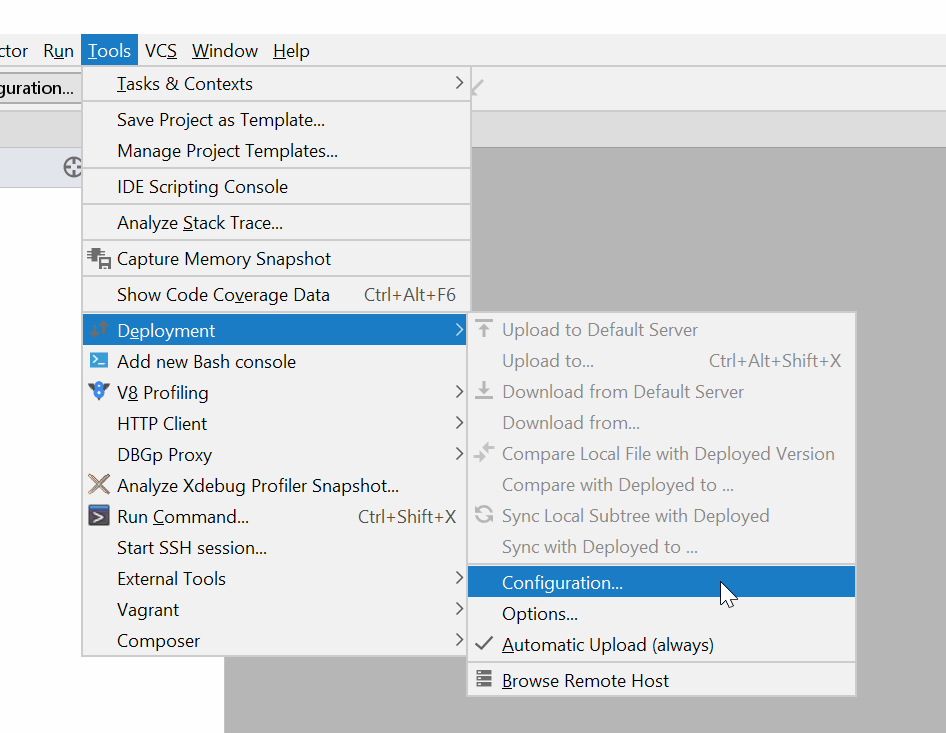
Open the template folder and in the menu find Tools / Deployment / Configuration.
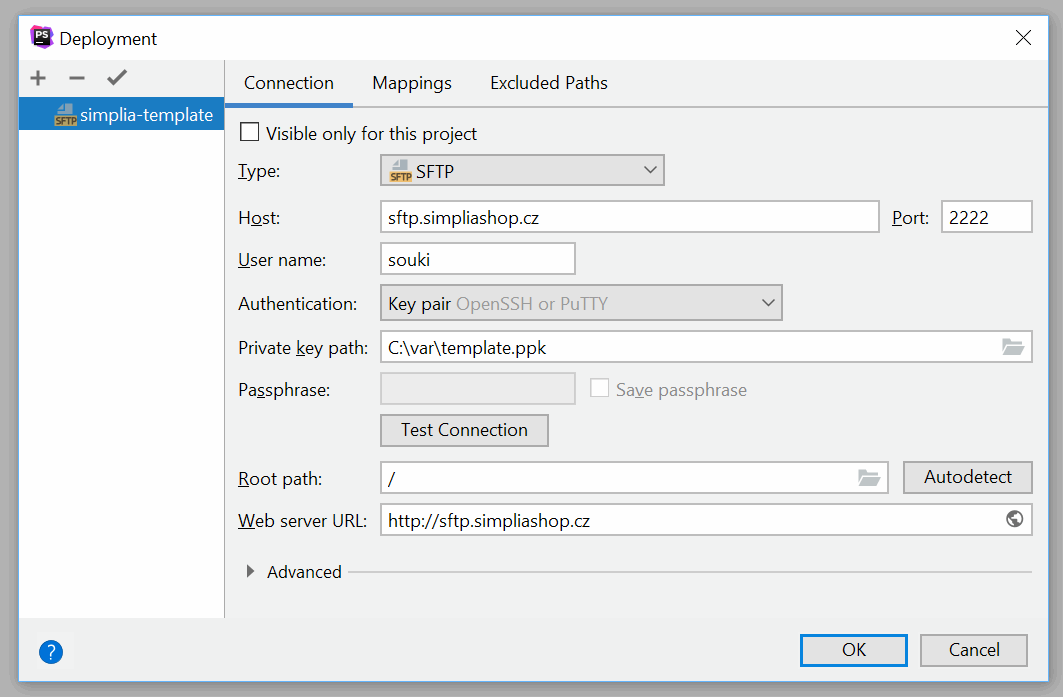
Add a new SFTP server named simplia-template (the name matters so that project presets work correctly when using multiple templates). The server address is sftp.simpliashop.cz, port 2222, and your login was provided by support.
For Authentication use key pair and locate where you stored the key (generated above).
Leave the visible only for this project checkbox unchecked, so you do not need to configure the connection separately for each template.